
- What are Google Business Profile Keywords?
- Why Keyword Optimization of Google Business Profile Matters?
- How Google Understands Your Business Profile?
- How to Optimize Your Business Profile Step by Step
- Google Business Profile Keyword Optimization Mistakes
- How AI and Voice Search Are Changing GBP SEO
- GBP Optimization Checklist
- Conclusion
- Turn Your Google Business Profile into a Lead Machine
Local search is a powerful way to drive customers today. People use Google to find everything online, yes, even services nearby. If you want to run your business like a pro in no time, you need to work on getting local visibility. For this, you must first learn how to add keywords to Google Business Profile (GBP).
You greet Google with keywords and it helps you greet others. It’s like using keywords to inform Google so that it signals customers towards your business.
Having a well-optimized online profile is must. However, it is not easy to achieve. If you want to appear in local search results, Google Maps and even in AI-generated search summaries, you must level up your keyword game.
In this guide, we talk about how to add keywords to Google Business Profile and why it matters.
What are Google Business Profile Keywords?

Before you learn how to add keywords to Google Business Profile, you must know what keywords are.
Basically, they are words and phrases that people use when they look for literally anything online.
These may be brief such as ‘dentist in Houston’ or more specific ‘emergency dental clinic near me open now’.
Google uses these words to help users find the correct profiles. You help Google with keywords; make it understand the nature of your services and location. And then Google helps users to find what they want.
The aim to learn how to add keywords to your Google Business Profile is not entirely about letting your website rank. It is to make sure that your whole business page appears in the appropriate local search results.
When you use the right keywords properly, you become more visible, and experience real customer activity such as calls, directions, or website visits.
Why Keyword Optimization of Google Business Profile Matters?

If you want to be visible to your customers online, you must know how to add keywords to Google Business Profile. It means, using words that help Google link you to your potential customers.
According to a study, almost half of Google searches are actually local, with people actively seeking nearby services and eager to act. This is why keyword relevance is even more critical because it directly affects your business showing up in those high intent searches.
If your profile is not optimized with the right keywords, you will miss out on the local results. Using them in natural way gives you a better chance at being found on Google Maps, in local listings.
Always optimize to get increased exposure. This way, you will get increased calls, increased visits and higher conversions, all without spending a dime on ads.
How Google Understands Your Business Profile?

To properly understand how to add keywords to Google Business Profile, you should know how Google works. It does not read and understand like a human but scans the elements to understand where you are and what you offer.
There are few signals that Google understand. For examples, signals like your business categories, description, products and services, client reviews, and content.
When you use keywords into these categories, Google looks at it and help users find you as their match.
Let’s say, Tayne from Houston wants home cleaning services. If you add this exact keyword or its variation in your content or website, the Google will help you get the customers.
The goal is to be consistent, because you can’t bluff Google.
This is why keyword placement must feel natural and consistent across your entire profile instead of being added randomly in one section.
How to Optimize Your Business Profile Step by Step

Once you understand that Google holds the power to read and understand what you put on your website, you need to work on the content.
You can’t go random and put keywords without research. They must appear naturally and with a purpose. Add a clean and clear homepage with content that works for both search engines and users.
When everything is consistent, you content, design and how you add keywords or optimize it, you get more leads to your way.
The first step in a successful optimization is the keyword research itself.
Step 1: Do Local Keyword Research for GBP

The first step of how to add keywords to Google Business Profile is simply keyword research. This means, finding the right keywords to use, based on your business and the target audience.
Local keyword research focuses on understanding how people search for services in a specific area. These searches usually include service-based terms combined with locations, such as “electrician in Houston” or “best salon near Texas.”
The goal is to identify exactly how your potential customers describe your service when they need it.
You can start by using Google itself. When you type a service, Google autocomplete shows real searches people are making. The “People also ask” and related searches sections are also helpful for discovering natural keyword variations.
There are tools like Google Keyword Planner which can be of great help. It educates you on current search volume and competition.
Step 2: Add Keywords to Your GBP Categories
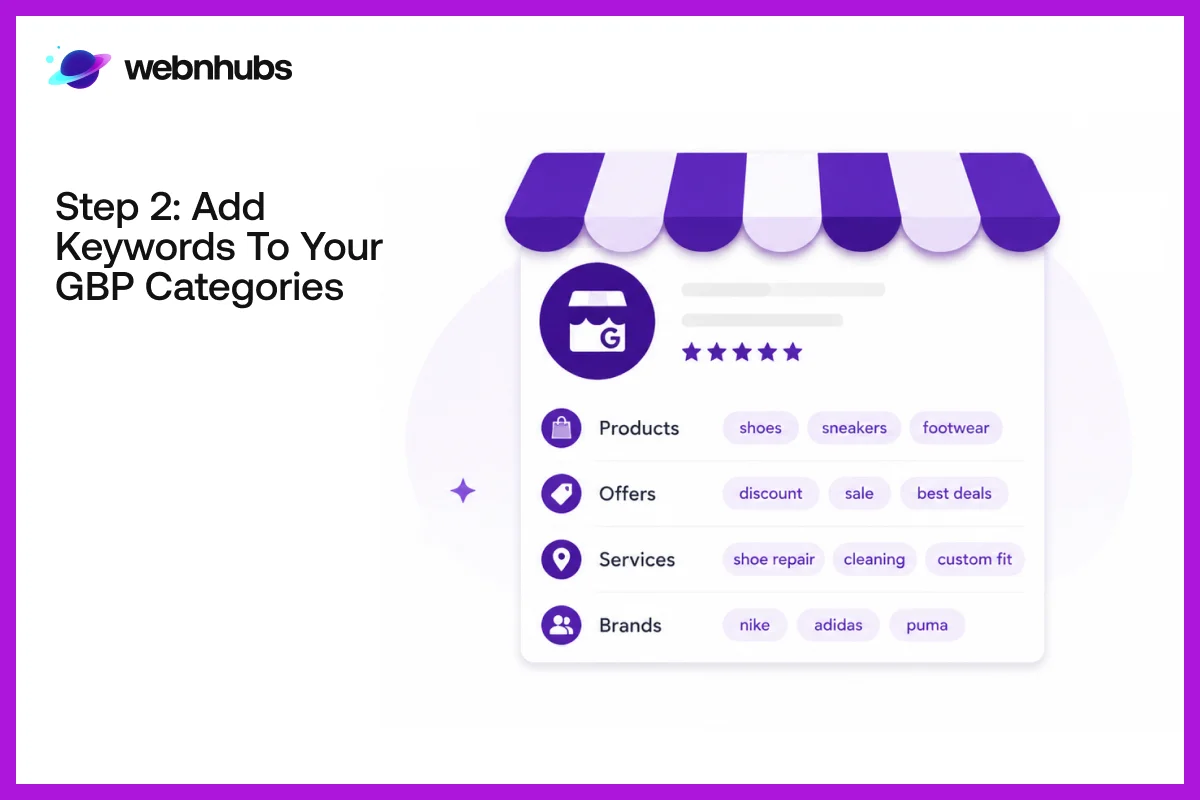
Choosing the right categories is one of the most crucial components of learning how to add keywords to Google Business Profile.
This is because Google considers your business category as a strong indicator of what your business is. This directly impacts your visibility in local search results.
Why Categories Matter More Than Keywords Alone?

Before thinking about adding keywords everywhere, it’s important to understand that your category already does a lot of the heavy lifting.
It tells Google what your business actually is, even before it reads your description or services. That is why choosing the right category matters more than anything else at this stage.
Primary Category: Focus on Core Service

Your main category should be clear and concise, and you should state your service as simply as you can. Do not use general or vague words, always choose the most specific option possible.
A dental clinic would opt for “dental clinic” instead of “health services” for instance. This can help Google correctly connect your business with people who already have a strong intent.
Secondary Categories: Expanding Visibility

These help you grow your visibility without altering your main category. Using these, your company will show up in search queries that are relevant to your services.
The trick is to keep your focus on the same point and maintain consistency.
2026 Trend: Intent Based Search Signals
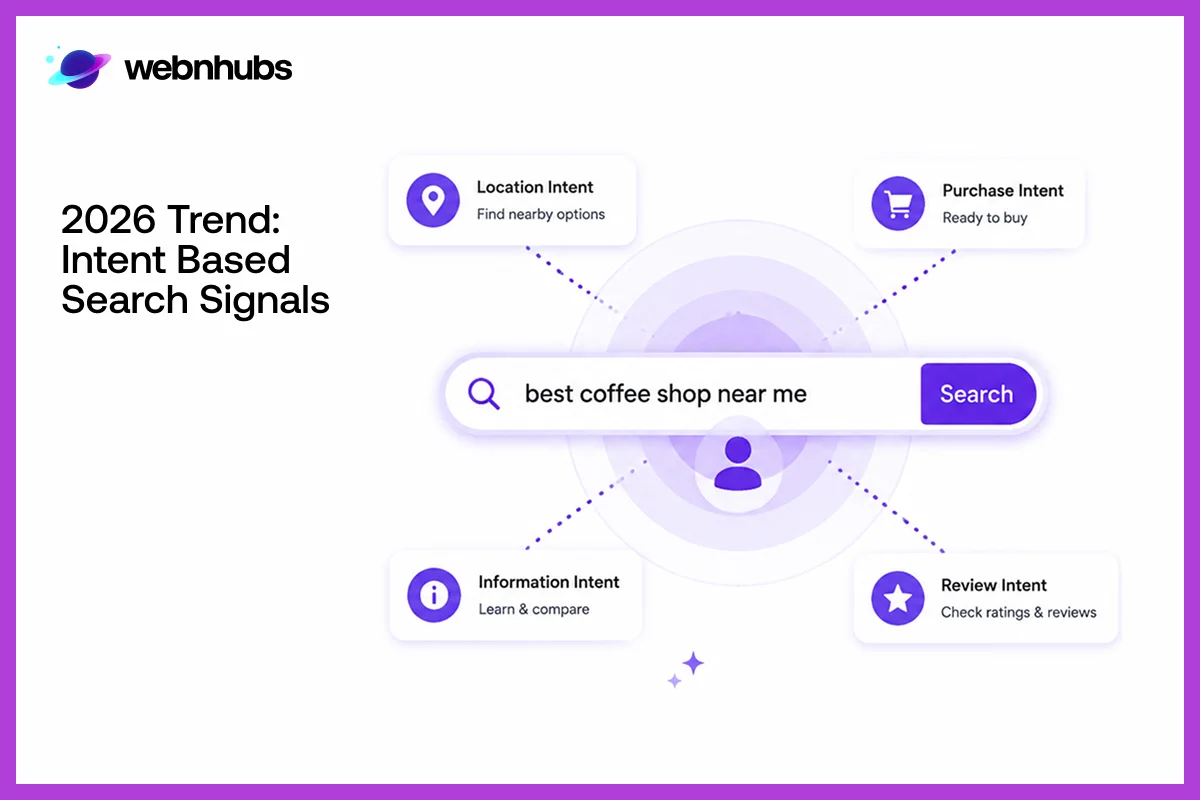
In 2026, Google is becoming more intent-driven. It is now more conversational, allowing people to search using without knowing things exactly.
There is voice talk and AI driven chat support that interprets it and help people look for things easily. This is also where the use of categories becomes important than ever, it helps clarify search intent.
Types of Keywords That Support Categories

It’s important to know the various types of keywords to make your strategy more effective.
There are service based keywords that talk about what services you offer. Another one is location based keywords that talk about where users can find you.
Then there are intent based keywords that talk about the urgency of the search. Lastly, long-tail keywords that talk about the full search query. The more these match your categories, the more visible you will be.
Step 3: Add Keywords to Your Business Description

One of the most critical areas to pay attention to when learning how to add keywords to Google Business Profile is your business description.
This section should be written naturally, with care, and accurately convey what your business has to offer to Google and users.
The description is short, so each word counts. Include a brief and easy-to-understand description of your primary service and location.
The main keyword needs to be used naturally and not forced in this section. The idea is to make it easy for humans to read while providing search engines with good relevance signals.
Rather than just stuffing in keywords, focus on services. You can also add synonyms so that Google understands the context of your business. This will make your profile show for more than one search term.
Want More Visits from Local Search?
Start optimizing your Google Business Profile the right way to boost visibility and attract more local customers.
Step 4: Optimize Services and Products with Keywords
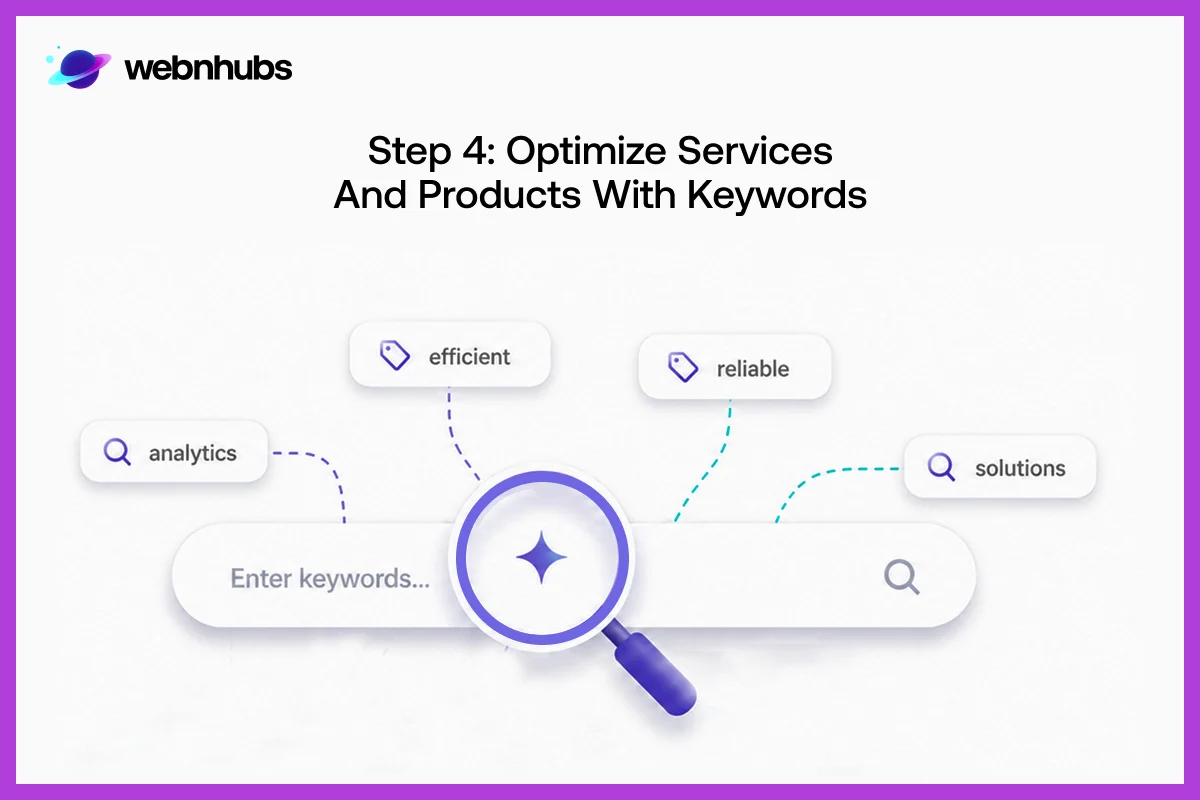
One of the most crucial aspects of knowing how to add keywords to Google Business Profile is to utilize the services and products section correctly.
This is where you can really be open about what you’re actually offering and provide Google with more information to match up your profile with them.
Describe all your services and products with words that consumers would actually use. Rather than vague names, describe the service in a customer-friendly manner.
For example, if you are providing A/C repair services, you should use “AC repair services in Houston” instead of “repair services”.
This gives you more exposure, allowing more customers to discover your business.
Step 5: Add Keywords in Google Business Profile Posts

One of the most crucial aspects of Google Business Profile keyword optimization is the utilization of posts as an active optimization technique. Google Business Profile posts can also be used to share updates, offers, events, and announcements, and can also be used to help reinforce your keyword relevance over time.
Every post is a new chance to communicate to Google about your business. If you naturally incorporate service based and location based keywords in these updates, it helps to make your overall profile much more relevant. Many people, for instance, would write about a certain service, such as seasonal offers, new offerings, or limited-time provides based on location.
Posts also help to keep your profile active, telling Google that your business is active. This activity can help boost their local search profile over non-active profiles.
Step 6: Improve Readers’ Response and Retraction
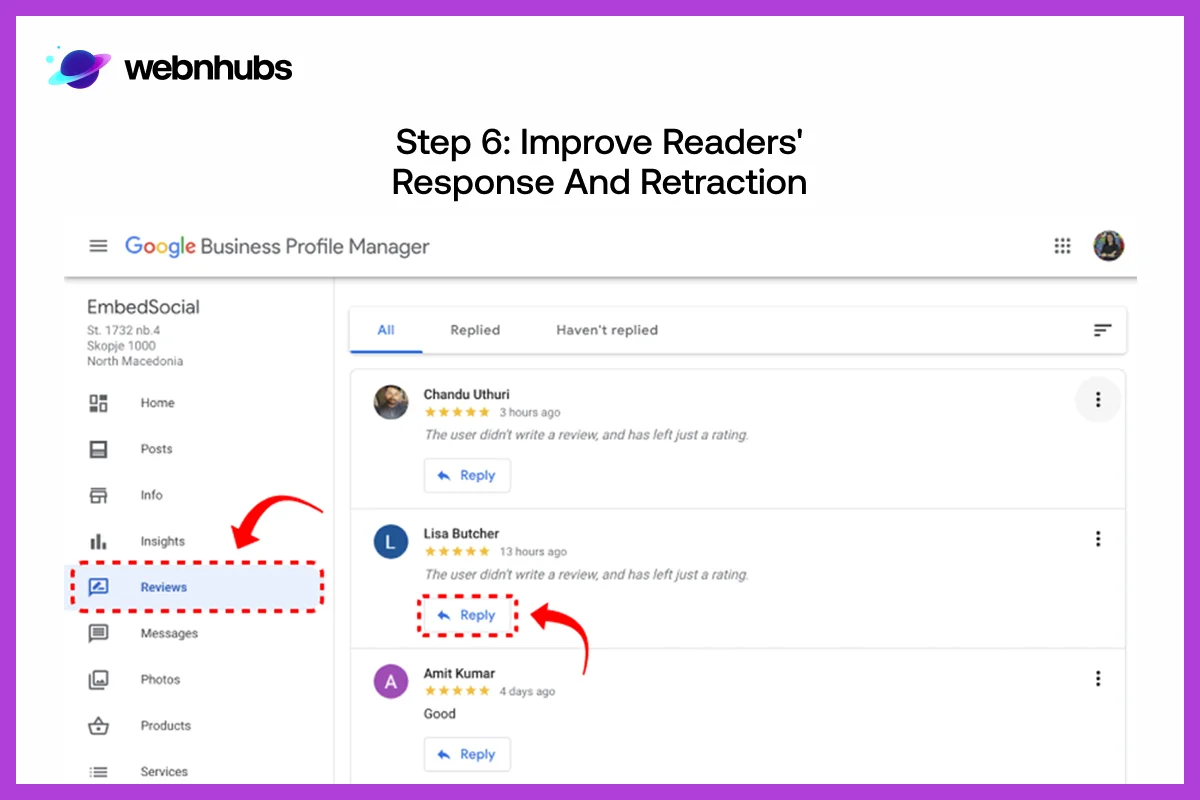
Many people forget about Google Business Profile reviews and Q&A when it comes to adding keywords to their profile, but it is a powerful ranking factor in local SEO. Google looks at customer reviews, to see what people actually experienced, and it’s going to see the keywords as they describe your services.
Rather than attempting to include keywords in reviews, it is better to try and get honest customers to talk about what service they used, and where.
Your feedback to reviews is also important. If you respond in a natural and helpful manner, you get to retain the human touch in the conversation.
Similarly, the Q&A section matters as well. While responding to queries, you can use relevant keywords which boost visibility and foster trust, and engagement overtime.
Step 7: Insert Keywords via Photos, Video and Attributes
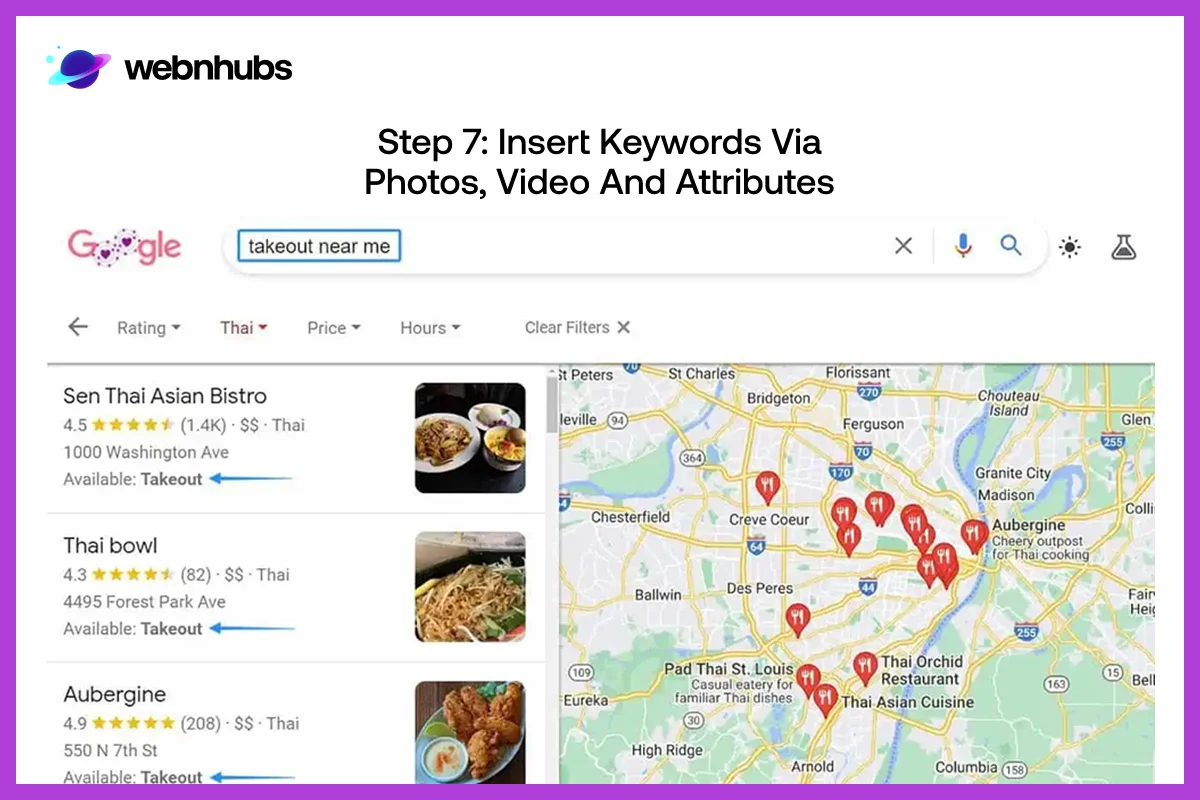
One of the most critical step in how to add keywords to your Google Business Profile is optimization of visual content. Google isn’t just reading text, it sees images, videos and all the rest of content to better understand your business.
When you upload visuals, everything, the file name, the caption even the context contributes to keyword relevance.
This means; you can’t just name files randomly but properly so that each visual reflect your services and location better.
Videos function similar to this as well. Short clips about your services and how you process them can establish trust, make your profile looks interesting as well as informative.
Another powerful signal is features which tells about your service availability, accessibility, and all other facilities. If they match your users’ queries, it will help Google’s AI gain a fuller picture of your business.
Step 8: Optimize Service Areas and Location Signals

Another significant aspect of how to add keywords to Google Business Profile is setting your service areas properly.
This lets Google know the location of your business which further increase your profile visible in local searches. Doing this correctly will make customers find you in several local neighborhoods instead of one assigned location.
Make sure, the locations are the real places where you provide services. Add location based keywords in there to increase your local relevance.
If you operate in more than one neighborhood in a city, it is important to mention those areas clearly. This is how Google matches your profile to customers looking for business nearby, which could be you!
Your website also comes into play here. If your Google Business Profile and your website are sending out the same location signals and keywords, it creates better trust, boost both map and organic local rankings.
Step 9: Monitor Performance using GBP Insights

There are analytical tools that one can use understand the way people use and find your listing.
By using Google Business Profile Insights, you can find out what keywords users have used before they found your profile.
It also gives you an idea about how many users have viewed your profile and reached out to you. This information can really help businesses to find out if their keyword strategy is working or not.
You will know what keywords are driving traffic and which ones are not. That how you can make your content more polished, and more relevant.
Also, this is ongoing process. Every time you encounter an issue, you correct it so you’re your profile remains up to date, both according to search engine and customers behavior.
Google Business Profile Keyword Optimization Mistakes

A lot of businesses want to learn how to add keywords to Google Business Profile as quickly as possible but end up damaging their visibility rather than enhancing it.
The issue typically isn’t lack of effort; it’s simply an issue of execution. For example, not optimizing profiles which leads to poor rankings, less engagement, and misinformation.
Following are the most common mistakes businesses make.
Using Too Many Keywords in Each Section
One of the worst things to do is to put keywords in every sentence. This appears unnatural and spammy and is not a good look for the profile.
Google is intelligent enough to grasp the context so that repetition of the same phrase will not get you higher ranking. Rather, it can lower the trust and readability, impacting user engagement.
Selecting The Wrong Business Category
Many companies choose to use broad terms to define categories, rather than specific services. This reduces relevance, as Google makes a lot of sense out of a business’s category. If it is a too general or wrong category, then the profile might not show up in the correct searches.
Inconsistent Business Information
One of the common problems is the lack of consistency among the profile, web, and posts. If the name or the location differs in different areas, Google takes it as unreliable.
This does affect the frequency of the business showing up in local search results.
Ignore Profile Updates and Activity
Some companies create a profile and don’t update it for many months. A profile that is inactive means that it is not engaged. Providing regular updates, posts, and changes tell Google that the business is active and relevant, which helps to improve visibility.
Describing Things in a Generic or Weak Way
It is very hard for Google to understand what the business is if there is no clear business description. The common reason for the rejection of many profiles is the use of vague words instead of service-based wording. Clear and descriptive text aids in search match.
Not Matching Keywords with Customer’s Intent
Some companies make assumptions about the keywords that will work for them. The profile will not reach the right audience if the keywords are not similar to the way people search. Understanding real search intent is key for effective optimization.
Don’t Let Your Google Business Profile Fall Behind
Stay ahead of the competition by upgrading and optimizing your profile for better reach and performance.
How AI and Voice Search Are Changing GBP SEO
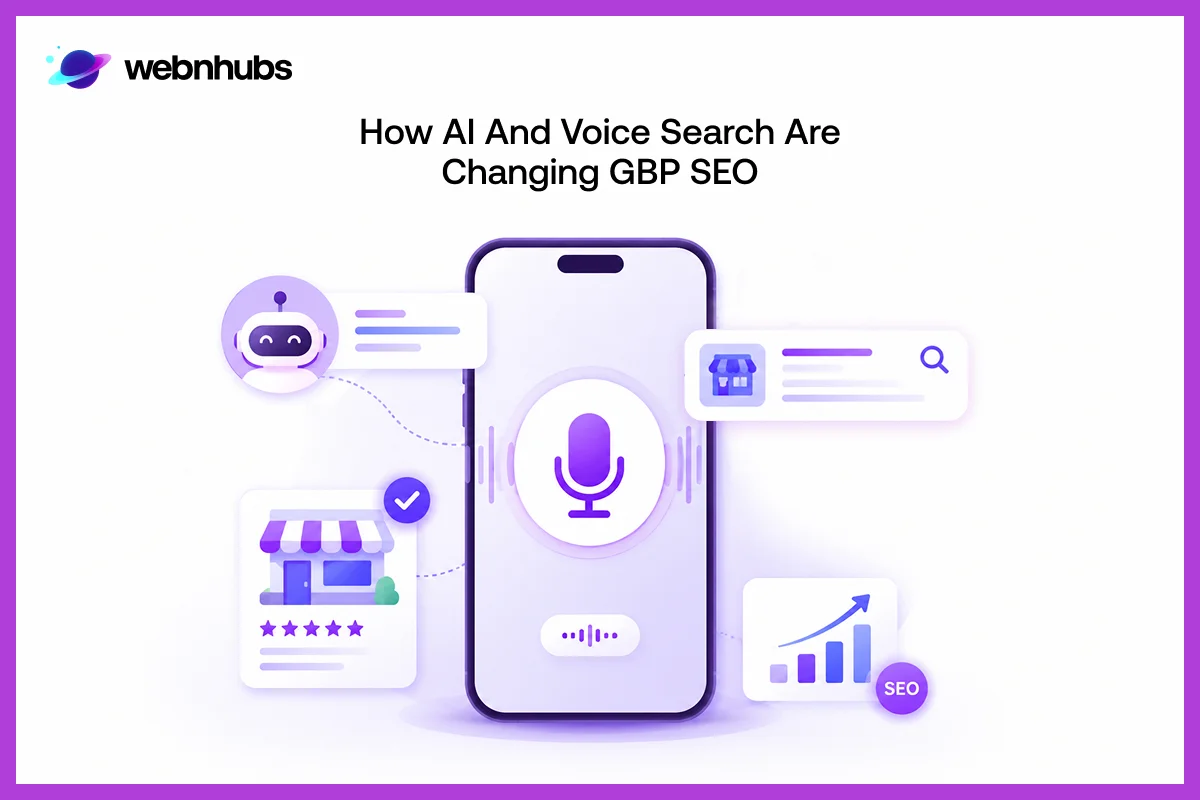
User’s search behavior is now no longer restricted to short typed keywords. The majority of mobile-friendly searches are now voice-driven, and Google’s AI-based systems are becoming more prominent in local search results. Google research has revealed that many “near me” queries result in a visit within 24 hours, highlighting the high intent behind local search.
Rise of Voice Search in Local SEO
Voice search is one of the reasons why the use of keywords is important. People are now using voice option to communication and they are searching for full questions, such as “who is the best emergency plumber near me open now in Houston”.
This is why Google Business Profiles must make use of more natural, and conversational language, the one that mimic the way people speak.
AI-Powered Search and Zero-Click Results
Meanwhile, the AI-powered search capabilities and map summaries are cutting down clicks. It is providing users with answers directly on the search page. This is referred to as “zero-click search”, which helps users find things without them having to go onto a site.
Now, here comes Google! It uses uses structured GBP data such as categories, services, reviews and descriptions to provide users with answers.
Why the Keyword Strategy Must Adapt
By doing these changes, your keyword strategy will look less repetitive and more unique. It is all about aligning intent, context and natural language.
Companies which can respond to this change quickly stand out more in search results and in local recommendations generated by AI.
GBP Optimization Checklist
Looking for the best way to add keywords to Google Business Profile? Begin here. This is a basic checklist for what your profile should include for a well-maintained profile. Walk through it and if you can tick off all of the boxes then you’re well on your way!
- Visitors who land on your profile must quickly understand your work and location.
- The keywords must flow naturally (not stuffed).
- Your categories must not lie; it should be what you offer.
- Use keywords for services and products that real customers would use to search them for.
- Post on regular basis, do not abandon your social media presence.
- Your reviews must feel like they are from humans, true and exactly how they are.
- What you put in your website should be what you have in your GBP, no confusion.
- Put the actual photographs and videos of what your business does to gain trust.
Conclusion
It is not about pulling the right keywords but to use them in different locations. You can stuff them, use them just for the sake of it. As a business, you goal should be to create a profile that is clear, consistent and helpful to people.
If you get those fundamentals right, then you know exactly how to add keywords to Google Business profile. It also means that your visibility is taken care of.
Make sure you don’t take your Google Business Profile is not a listing but as a marketing tool and then it will work like one.
Turn Your Google Business Profile into a Lead Machine
To get the most from local visibility, you must know how to add keywords to Google Business Profile. If you have too much on your plate then let Webnhubs get the job done for you.
We don’t just care about your views; we care about your leads. Let’s make you a Google Business Profile that works instead of just existing.
Frequently Asked Questions
You can add keywords to Google Business Profile, but only in a natural and non-spammy manner. There is no one “keyword field” in Google. Rather, the keywords are placed in a natural manner in your business description, services, posts, reviews and Q&A. The principle here is to ensure every element is legible and it’s all about what the user wants, not about any particular words.
No matter the number of keywords you have, your job is to use them where necessary. Do not spam or suffocate the content with keywords because Google can sense relevance. Make sure your keyword are dispersed naturally throughout your profile for added relevance. The most crucial areas are your business description, list of products and services, blog posts, and customer replies or reviews.
No, keyword stuffing does not work and can in fact hurt your business image. When you use too many keywords, Google will mark it down, claim your less credible than the others. The smart choice is to strategize, make sure your keywords are readable and used naturally.
Keywords get Google to match your business with local searches on Maps. If you’re clear about service and location terms in your profile, it is simpler for Google to exhibit your listing to people searching locally. When used in conjunction with reviews, engagement, and activity, keywords help to increase your overall visibility in the local map pack.
You don’t have to change your keywords every now and then but you must keep a check on their performance. Make changes on when your services or you find out how customers are behaving. If there are any new trends in keyword use, then update your profile to stay relevant.
Yes, reviews matter a great deal with regard to local SEO. If the customer mentions services, locations, or experiences, the words allow Google to grasp your business better. Words used in your answers to reviews can also contribute to relevance in a natural and useful manner. This will help build the context of your keywords over time.

Hafsa Hanif is a talented content writer at WebnHubs, specializing in topics such as graphic design, web design and development, logo design, and animation. With her deep understanding of design principles and creative processes, Hafsa crafts engaging, informative, and SEO-optimized content that resonates with readers. Her expertise in SEO ensures that her articles not only captivate audiences but also rank well on search engines, helping businesses boost their online presence through compelling design-focused narratives.
