- What Is AI for Web Design?
- How AI Fits into Each Stage of the Web Design Process
- Benefits of Using AI in Web Design
- AI Web Design Tools and How They Compare to Traditional Design
- How AI Improves the User Experience
- Common Mistakes to Avoid When Using AI for Web Design
- AI vs Human Web Designers: What Should Each Do?
- Best Practices for Using AI in Your Web Design Workflow
- The Future of AI in Web Design
- Conclusion
Imagine a client asking you for three ideas of what they should have on their homepage by the end of the day. In the past, you used to spend hours sketching and then presenting one idea. An AI tool can now sketch all three as you read the brief.
These mockups can’t tell you anything about the client’s brand, buyers, or what they are trying to sell. Figuring that out is still the designer’s job.
AI in web design is defined as incorporating artificial intelligence in any part of your website, including research, layouts, copy, code, or testing. Because most of the work handed over is slow and repetitive, it’s easy to see why agencies took to it so quickly.
Should designers worry? Not really. AI generates ideas within a short period of time, but a knowledgeable individual determines which ideas live and which die.
Let’s go through how teams use AI at each stage of a build, when it pays off, and when it tends to cause issues.
What Is AI for Web Design?
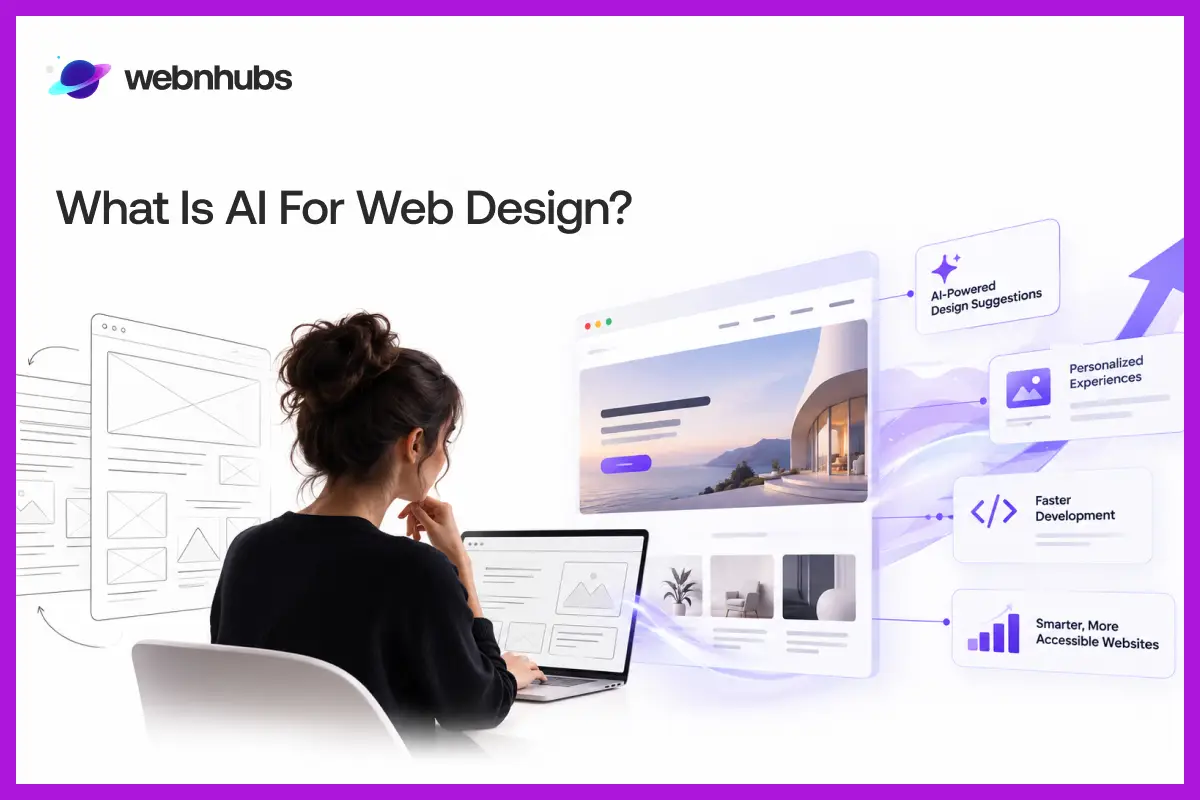
AI web design is when machine learning tools take over tasks that designers and developers used to handle themselves. You can ask a tool to suggest a page layout or pull together a color palette. Some will write a headline for you, and others can produce starter code for a section of the page.
Compare an AI-assisted website with a traditional one, and the chances are you won’t see much difference. The difference lies in the way each has been created.
The traditional method requires the designer to do the research, wireframes, and visuals themselves, from start to finish. The tools make early drafts, and with AI in the game, the designer’s job is to review drafts, reshaping them or discarding them altogether if they fall short of the mark.
AI-Assisted Design vs Fully Automated Website Creation
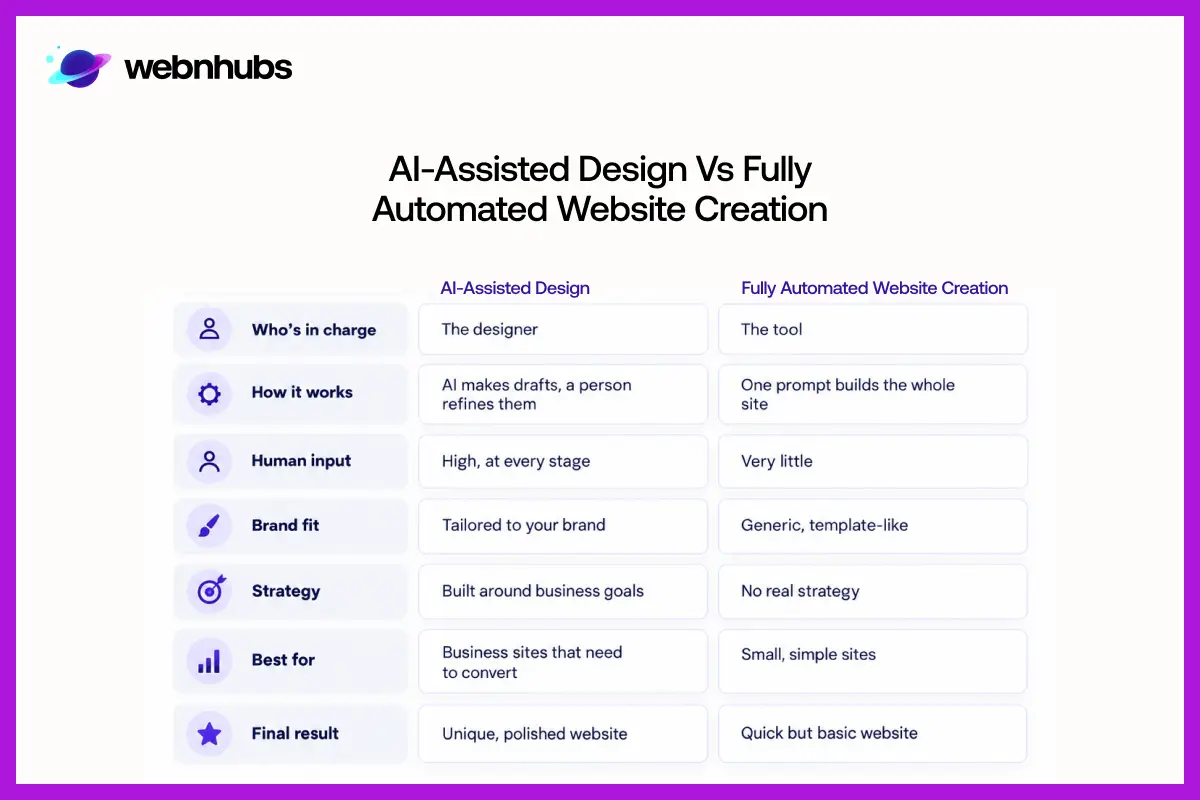
These two are frequently used interchangeably. However, they are not quite the same. With AI-assisted design, the tools are there to speed things up, not to replace the designer. A person still sets the direction and makes every final call, right up to launch.
A fully automatic builder takes a completely different approach. It asks you for a prompt and then generates an entire site itself. Humans put in minimal input in this case. If you want to generate a small, simple site with no complex or particular needs, it can be perfectly usable.
However, issues begin to occur when the website requires a specific brand personality or real business strategy. In such cases, automated tools really get stuck.
How AI Fits into Each Stage of the Web Design Process
Research and Planning
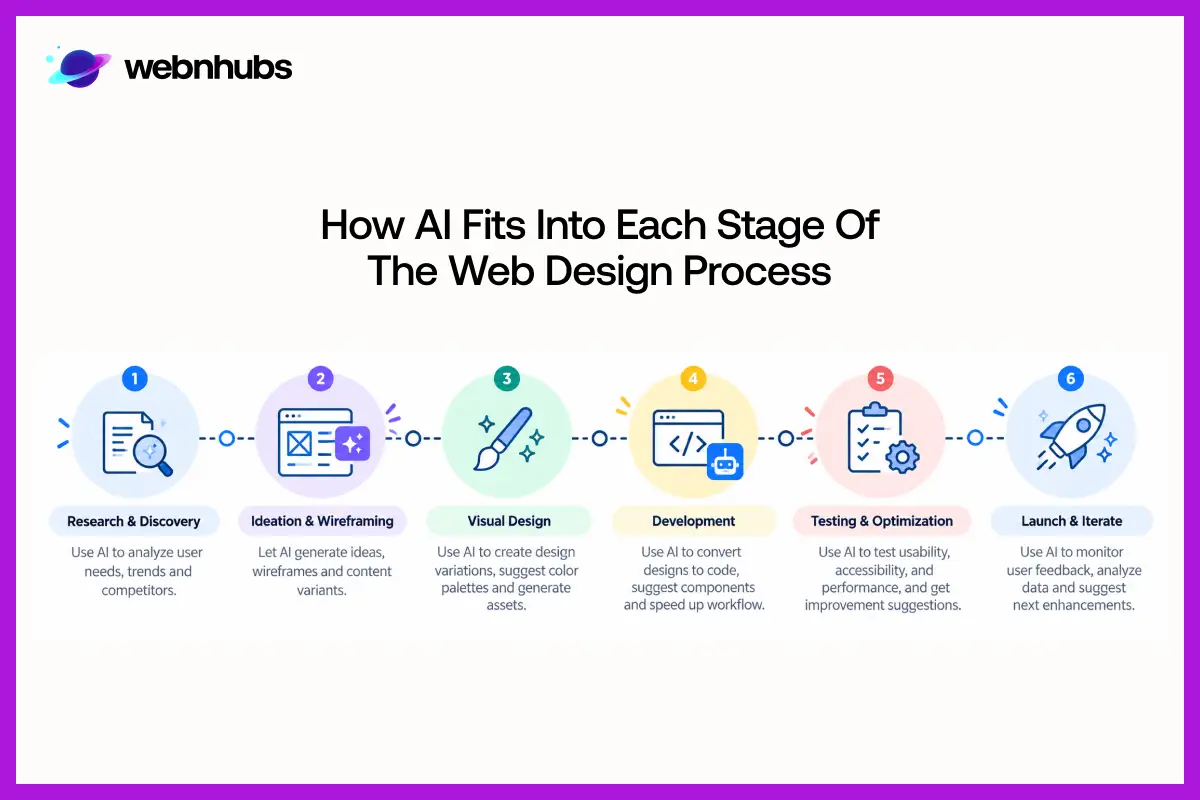
Teams typically first realize the time savings from research. A tool can generate a competitor overview or rough sitemap in minutes. It can even outline user personas and the customer journey before the end of the opening call. But do not accept any of it as truth.
The actual audience is the one that appears in your analytics, survey data, and in your dialogue with real customers. If the guess doesn’t match that data, it is advisable to rely on real data only.
Wireframing, Layout and UI Design
Looking for a layout for a fresh page? AI can quickly create initial wireframes and provide a few options that you can view side by side. That will give your team a chance to experiment with a couple of possibilities before they select the one to develop.
This holds true for visuals as well. AI will give you ideas for colors, fonts, and UI elements, along with a very basic take on visual hierarchy. Some of those ideas are worth keeping.
Others won’t fit the brand at all, so check every suggestion against your brand guidelines before it goes anywhere near a live page.
Content Creation
There are many copywriters who employ AI to conquer the blank page. It’s quick at producing first drafts of headlines, service descriptions, and CTAs.
It can also customize your copy for specific audiences, which is useful when you have to create landing pages that can convert. That’s not the case with sales copy. Generally, it sounds dead until it’s picked up by a human editor.
Development
Coding assistants are tools that developers utilize to generate HTML, CSS, and JavaScript code. Some tools even have the ability to convert a design file into working code. You can use them to handle repetitive tasks or to fix minor issues.
When the tool generates content, it is advisable that the team in charge read each line prior to making it live, because AI often makes mistakes.
Testing and Optimization
Once it’s live, AI still helps by evaluating the actual visitor behavior on your website. It helps suggest A/B tests that identify pain points or what makes users leave the website.
Moreover, it also serves as a valuable resource for teams looking to optimize website loading speed and maintain smooth operations.
Benefits of Using AI in Web Design
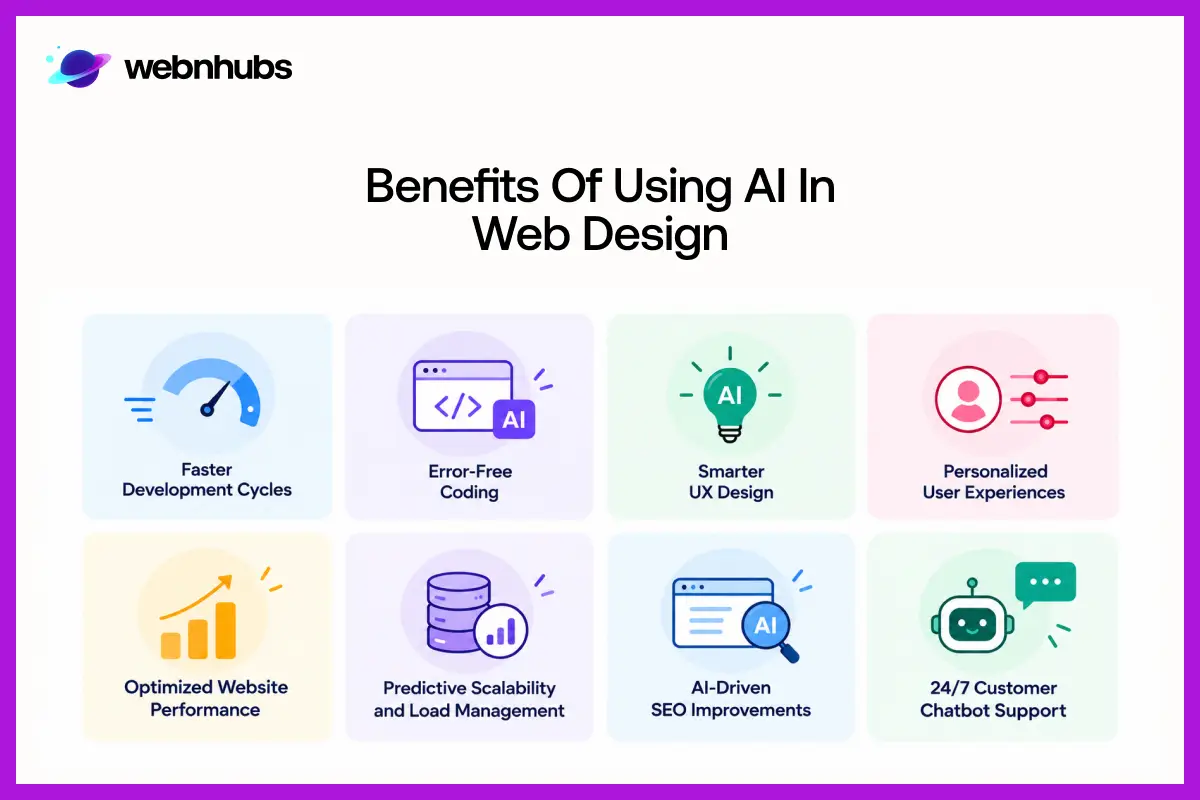
The single greatest benefit of AI in web design is time savings. AI can put together drafts much faster and do the repetitive work for you to save time. Now designers have time to focus on the decisions that will make a difference in the end product.
Here’s what teams tend to gain:
• More design options to compare before picking a direction
• Faster prototypes, so testing can start earlier
• Personalized experiences that are easier to roll out at scale
• A better starting point for accessibility work
• Decisions based more on data than on hunches
• Quicker first drafts of website copy
• Less time and money spent on production-heavy tasks
AI Web Design Tools and How They Compare to Traditional Design
Main AI Tool Categories
Specific tools launch, rebrand, and disappear all the time, so any list of names would be outdated within months. The categories are far more stable. Looking at what each kind of tool is built to do is a better way to decide what your team actually needs:
| Tool Category | What It Helps With |
| AI Website Builders | Generate a starter site from a short brief or prompt |
| AI UI Design Tools | Create layout and interface concepts in minutes |
| AI Image Tools | Generate or edit graphics for web pages |
| AI Copywriting Tools | Draft and refine headlines and page copy |
| AI Coding Assistants | Write and update front-end and back-end code |
| Analytics and Optimization Tools | Track visitor behavior and conversion data |
AI-Powered Web Design Traditional Web Design
| AI-Powered Web Design | Traditional Web Design |
| Concepts come together fast | More of the planning happens by hand, upfront |
| Layouts are generated in seconds | Designers control every layout detail |
| Repetitive tasks are automated | Designers do most of the production work |
| Trying new ideas is cheap and easy | Each iteration takes more time and care |
| Production time usually shrinks | Production usually runs longer |
| Human review is still required | People lead from start to finish |
This is usually where businesses bring in an experienced web design team. They go through the UX, SEO, and accessibility and fix the technical issues the AI left behind.
AI can get you a first draft fast. Making that draft work for your business is a different job, and it still needs a person.
Are you creating your website using AI?
With a few changes to its UX, branding, and SEO, Webnhubs can make a difference.
How AI Improves the User Experience
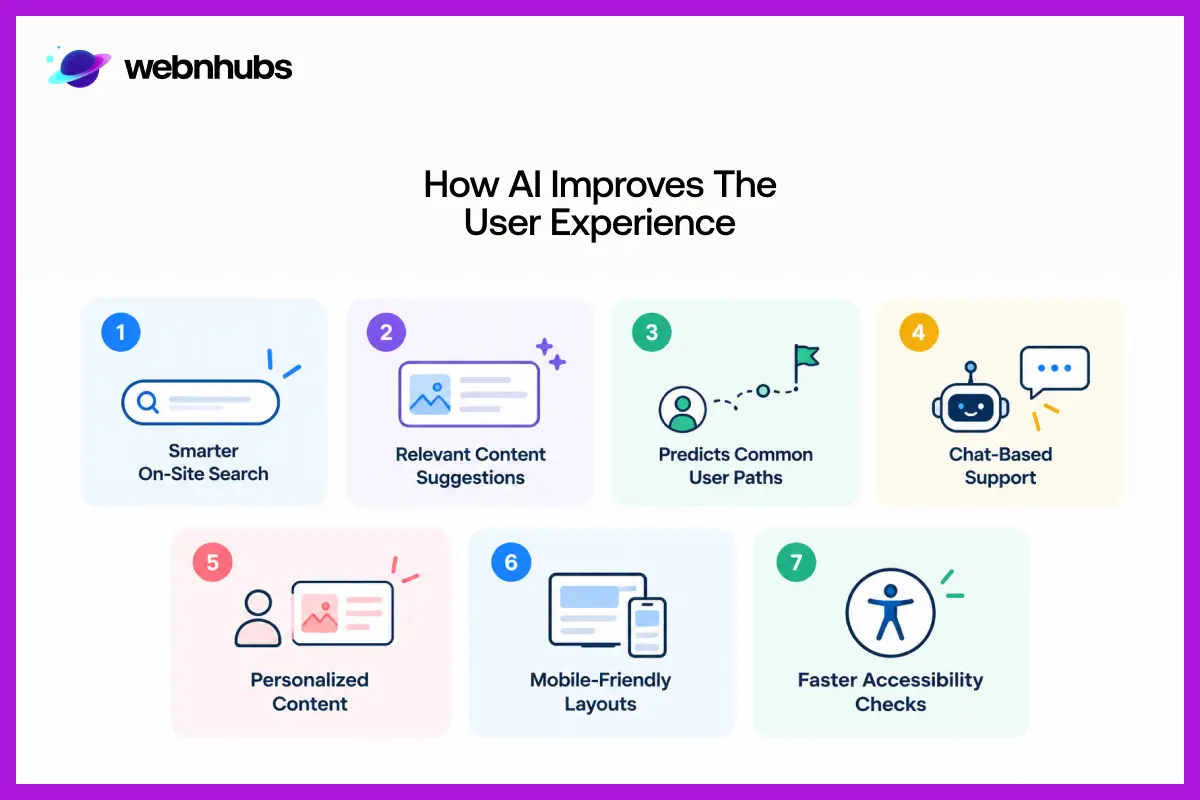
In the eyes of visitors, AI-powered websites can appear very intelligent. Search results are more relevant, related content is promoted to where it belongs, and the website can predict a user’s most frequent navigations.
It’s also commonly used for chat-based support, and, on the testing end, AI can pinpoint areas of friction before they happen, which is something that human review can’t do. The most prominent changes are in personalization, mobile design, and accessibility.
Personalization
Personalization allows a site to customize the content based on each user’s visit. A user visiting from another town or city may be presented with different offers, or a returning customer may have a different welcome message on the home page than a new customer. This is where ecommerce stores can reap the most benefits, particularly with AI-driven product suggestions.
The key to personalization is information about how someone has interacted with a business, which is why businesses should take care to collect and utilize that information and respect visitors’ privacy.
Responsive and Mobile Design
AI can generate layouts to accommodate different screen sizes and even recommend mobile-first strategies for responsive design. It can also test a design at each breakpoint prior to launch and point out the issues that will likely occur on smaller screens.
This is an important reason why mobile friendly web design plays a significant role in user experience and search engine results.
Accessibility
Several accessibility tasks get easier with AI:
• Drafting alt text for images
• Flagging potential accessibility issues automatically
• Checking color contrast against accessibility standards
• Scoring how easy your content is to read
• Finding gaps in keyboard navigation
• Writing initial captions and transcripts
Automated tools are great at identifying surface-level, easy-to-spot issues in a very short time. They are no substitute for real user testing.
Barriers that no automated scan will detect are encountered by people who regularly use screen readers or other assistive technology.
Limitations of AI in Web Design
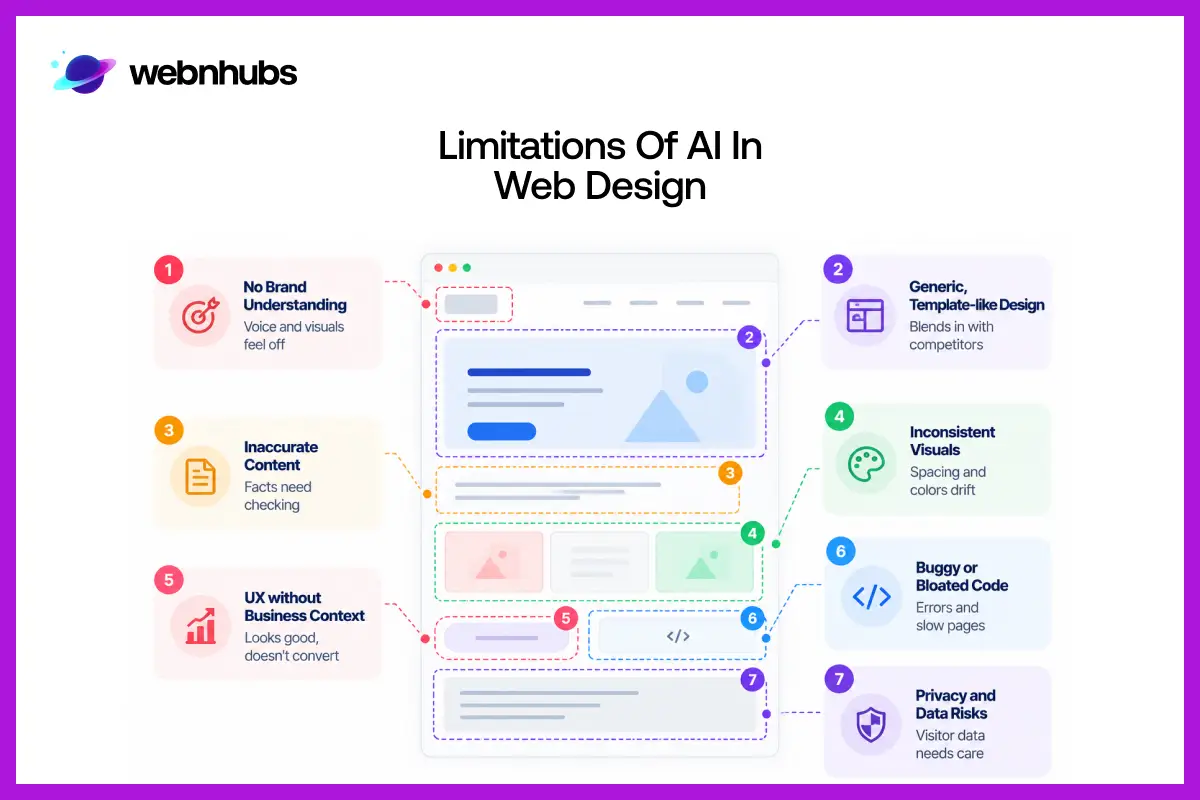
While AI is a great time-saver, it still has its limitations. If somebody understands them early, it is easier, when someone is actually working on a project, to decide which parts to pay attention to.
Generic, Template-Like Designs
When the instructions are not well formulated, the result is generally not very precise either. AI is prone to creating layouts that are similar to countless other templates, making it difficult for the site to stand out from its competition.
Inaccurate Content
There is a risk of inaccurate information being presented as fact in AI tools. All statistics, claims, and details of services should be checked by someone with first-hand knowledge of the business before publication.
No Real Understanding of Your Brand
No tool knows what makes your business stand out from the crowd in your market. The tone and images will always feel a bit out of place unless you put them in that context first and then reflect on what you’re getting back.
Inconsistent Visual Systems
If the pages are being generated individually, minor color, spacing, and style variations begin to seep in. The differences can add up rapidly when viewed from a whole-site perspective. Then a designer comes into the picture and needs to integrate all of the pages into one system.
UX Decisions Without Business Context
AI is unaware of your sales goals and your customers’ buying process. It might provide you with a design that appears fantastic on the web but doesn’t actually compel anybody to call, book, or check out.
Buggy or Bloated Code
The code generated by AI may contain hidden bugs, security vulnerabilities, or additional code that increases page load times. A developer should look it over before you launch and remove any extraneous elements.
Data and Privacy Issues
Personalization is based upon visitor data, so if it is not handled appropriately, the business may be exposed to legal difficulties. It can also affect the credibility that your audience places in you.
Common Mistakes to Avoid When Using AI for Web Design
Most of the issues we’ve encountered with AI are not with the tools but with how teams are using them. Here are the most common pitfalls:
• Adopting AI tools without a strategy behind them
• Publishing AI-written copy without an edit
• Letting AI output drift away from your brand guidelines
• Pushing AI-generated code live without a review
• Skipping usability and mobile testing because AI handled the first draft
• Saving accessibility for the very last step
• Prioritizing looks while conversions suffer
• Packing too many AI-generated elements onto a single site
AI vs Human Web Designers: What Should Each Do?
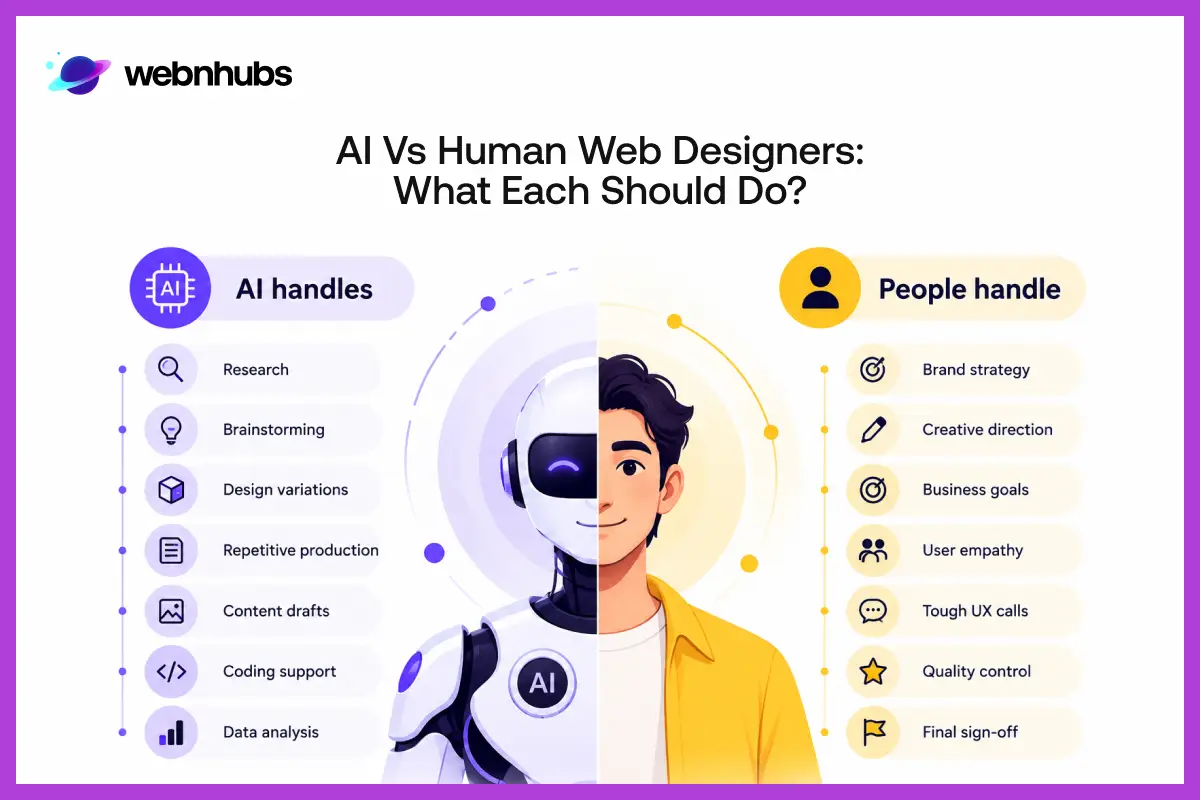
AI has a lot to do. It can help with research, brainstorming, designing variations, producing, drafting content, coding support, and data analysis. What it doesn’t cover is the work that most influences the success or failure of a website.
No prompt can provide that kind of knowledge, and no one has it more than someone who knows the business inside and out.
It also requires a human to understand the users on a personal level, make hard UX decisions, manage quality, and provide final approvals, which the software never encounters.
This is one of the reasons why web design matters and why automation alone is not enough for a good website.
How AI and Designers work together?
At Webnhubs, we use AI to speed up production, while our designers stay in charge of strategy, UX, and brand decisions.
Best Practices for Using AI in Your Web Design Workflow
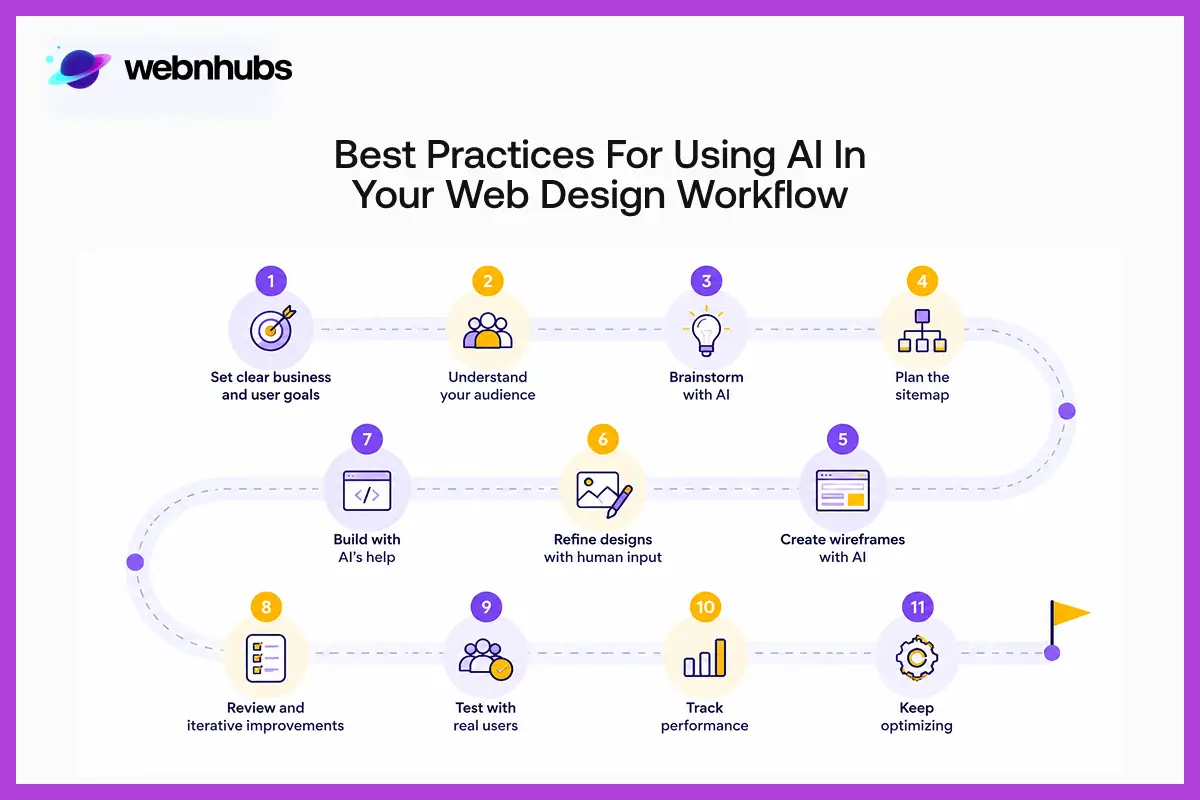
Integrating AI into a project doesn’t mean there’s no need for a clear process. In fact, if anything, structure is more important. Here’s a recommended workflow that can be useful:
1. Understand your business and user objectives before using a tool
2. Study your target audience based on real data
3. Harness the power of AI in early research and brainstorming
4. Plan the sitemap and content structure
5. Generate wireframe concepts with AI as a starting point
6. Develop the visual direction with a designer in the lead
7. Build the site and let AI speed up the repetitive parts
8. Review all AI-generated content and code
9. Test usability and accessibility with real users on real devices
10. Monitor performance data after launch
11. Make continuous improvements based on actual usage of the site
Avoid having inconsistent branding at any point, and ensure that user information gathered for customization is secured appropriately. Most of all, the final decision should always be a person’s, never a tool’s.
If you’re redesigning an existing site instead of building a new one, the same workflow applies. Our website redesign team can help you plan it out and keep the project on track from the start.
The Future of AI in Web Design
A few developments look set to continue. Design assistants keep getting more capable, and building a site from a prompt will only get better from here. Expect interfaces that adapt more precisely to each visitor, too.
Over the next few years, AI will likely become a bigger part of design systems, UX testing, and accessibility audits. Optimization will happen closer to real time, and design and development tools will work together more closely than they do now.
Keeping up with broader web design trends, however, is still something no AI tool will do for you.
Conclusion
AI has changed a lot in terms of how websites get made, mostly in the repetitive work that used to eat up weeks and months. Need ten layout ideas or a first pass at page copy? It’s hard to beat.
Strategy, UX, and brand still come down to people who understand the business. An SEO friendly website is built on good decisions, and a tool can’t make those for you. Use AI to work faster, and keep your team in charge of where the site is headed.
Get the Best of AI in Web Design, Without the Shortcuts
At Webnhubs, AI handles the early research and repetitive production so our designers can spend their time on the decisions that matter. Brand direction, UX, and SEO all stay in human hands. You get a faster build, and your site still looks like your business, not a template.
Planning a new website or reworking one you already have? Let’s talk about what you need.
FAQ's
It refers to the AI tools that are leveraged throughout the website-building process, including the research phase, website layout, copy production, and coding. The aim is to save time that is spent on repetitive work.
For designers, AI is useful in drafting content. It also helps test different fonts and color combinations. Moreover, it is easy to create wireframes using AI.
Developers use it for coding, but once the site is live, AI also helps track the way users interact with the pages and identify where the problems may lie.
It can make a fairly simple website with one command. Bringing that site to life to reflect your brand and win customers is another thing. This still needs someone with strategic and design abilities.
Not anytime soon. AI is fast at producing ideas and handling repetitive work. Understanding a brand and making smart UX choices are skills it doesn’t have.
The main one is speed. Teams also get more design options to choose from and can build prototypes much sooner. Copywriting and data analysis get easier too.
When nobody reviews the output, sites tend to look generic, and the content may contain errors. Visuals can drift out of sync from page to page, and the code often needs fixing.
It can help, but only after someone reviews the content and code. Pages straight out of an AI tool are rarely ready to rank.
Yes. Personalization and faster usability testing are two areas where it makes a real difference. For bigger UX decisions, you still need someone who knows your users and your business.
There are tools for almost every stage. Website builders and UI design tools handle structure and layout. Image generators and copywriting tools help with content, coding assistants support development, and analytics platforms track how the site performs.
It depends on the tools you pick and how much professional work the site needs afterward. AI can lower some production costs. A website built around a real strategy still needs a proper budget.

Hafsa Hanif is a talented content writer at WebnHubs, specializing in topics such as graphic design, web design and development, logo design, and animation. With her deep understanding of design principles and creative processes, Hafsa crafts engaging, informative, and SEO-optimized content that resonates with readers. Her expertise in SEO ensures that her articles not only captivate audiences but also rank well on search engines, helping businesses boost their online presence through compelling design-focused narratives.
