
- Why Website Speed Actually Matters
- How to Actually Test Your Site's Speed
- Understanding Core Web Vitals
- The Most Common Causes of a Slow Website
- How to Fix These Issues
- Platform-Specific Considerations
- Don't Forget Mobile
- Making Speed an Ongoing Habit, Not a One-Time Fix
- When It's Time to Bring in a Professional
- Get Started With Webnhubs to Improve Website Loading Speed
- Final Thoughts
Three seconds. That’s how long people wait for a website to load. If it takes longer, they leave. They won’t wait for three minutes, not even thirty seconds.
If your site is slow, you lose a visitor. You might also lose a customer as well as a lead or a sale. The faster site always wins.
And that’s why website speed matters. It affects how long people stay on your site. It also affects whether people trust your brand.
It impacts your Google ranking as well. The good news is that most speed issues have causes. Most of these causes are easy to fix. Therefore, you do not need to rebuild your website.
So, let’s discuss all that in this blog.
Why Website Speed Actually Matters

It is easy to think of page speed as something nice to have, as opposed to something not really important. It’s an afterthought as people think they should deal with other problems first.
In truth, page speed affects almost everything a site is supposed to do. Slow sites lose visitors. That is before they even see the content.
The longer it takes for a page to load, the more likely someone will bail out before it loads. That means your written text and nice Web Design are never even seen.
Page speed directly affects sales and conversions. Many studies on stores and lead generation sites show that fast pages turn visitors into customers or leads much more often than slow pages.
The difference is often very big. Search engine rankings are also affected by page speed. Google has been using page speed to rank sites for a long time.
When your site is first indexed, it is judged on how it works on a phone. That means your site is tested on a mobile connection, not a fast internet connection.
A really beautiful site that loads slowly on mobile has a hard time getting strong search rankings.
A slow site can also make folks think your business is not modern. Or that you are not careful about the little details.
It can shape a first impression of your brand before people even start reading anything. That can affect how people see your business.
Ready to Speed Up Your Website?
Partner With Webnhubs to Get a Website Performance Audit and Optimization Plan.
How to Actually Test Your Site’s Speed

Before fixing anything, it helps to know exactly where you stand and where the specific problems are. A few free tools make this straightforward.
Google’s PageSpeed Insights is the most widely used starting point, since it’s built directly on the same data Google uses to evaluate sites for search rankings. It gives you a score.
More so, it breaks down specific issues. It also separates performance from desktop performance.
This is important because mobile and desktop performance are often very different. GTmetrix is helpful because it shows you exactly which files and resources are slowing things down.
It shows you the order in which they load. This is useful for finding a big image that is slowing things down. It is also useful for finding a slow-loading script that is causing problems.
Pingdom Tools is also useful. It gives you an easy-to-read report. You can use it to test your site from various locations. This is important if your visitors are not all in one place.
You should try running your homepage and a few key pages through these tools. This will give you an idea of where the problems are. It is better than guessing based on how fast your site feels on your own PC.
Understanding Core Web Vitals

Google groups the metrics into a set called Core Web Vitals. Understanding these makes everything that follows easier.
The Largest Contentful Paint measures how long it takes for the thing you see on a page to load. This is usually a picture or a headline. It is like a measure of how a page loads for a visitor. A Largest Contentful Paint score is under 2.5 seconds.
The Interaction to Next Paint measures how fast a page responds when you click on things. A page can load fast. It can still feel slow if the buttons and menus do not work right away. A good Interaction to Next Paint score is under 200 milliseconds.
The Cumulative Layout Shift kinda measures whether the elements on the page start to wander around while it is loading. If you have ever tried to tap a button and then, out of nowhere, an ad or some image loads and pushes the whole layout off to the side right as you clicked, you probably felt bad CLS firsthand. A decent CLS score sits below 0.1.
These three Core Web Vitals metrics give an idea of how fast a page is because a page can load fast but still feel slow to use.
The Most Common Causes of a Slow Website

There are a few main issues that cause most of the problems with speed. These issues usually happen together and not alone.
The biggest problem is images that are too big and not compressed. A picture taken with a camera or phone can be five to ten times bigger than it needs to be for the web.
If you have a dozen images on one page, that can really slow things down. Having many plugins is another big issue. This is especially a problem on WordPress sites.
Each plugin adds its code that needs to load. If you have many plugins that do the same thing or are really old, they can run slowly. They will waste time in the background.
Some scripts and stylesheets can stop the page from loading until they are finished. This happens a lot with tracking scripts.
It also happens with chat widgets and things you embed from other sites. These things can make your page load slowly even if the rest of the content is ready.
The hosting you use is also important. If you have a good site but it is on a slow server with a lot of other sites, it will load slowly.
This is because the server does not have the power to handle all the sites at the same time. If you do not have caching set up, the server has to build the page from scratch every time someone visits it.
This takes a lot of time. Fonts can also cause problems. That is especially true if they are custom fonts from sites that are not optimized. These fonts can make the text on your page load slowly.
Give Your Visitors the Fast Experience They Expect!
Let Webnhubs Optimize Your Website for Speed and Higher Conversions.
How to Fix These Issues

You can fix these issues by following these steps:You can fix these issues by following these steps:
Optimize and Compress Images
When it comes to images, compression is the most solid trick for making things faster. There are a few tools and add-ons that can automatically compress pictures as soon as you upload them.
They usually shrink file sizes by something like 50% or even more. They do this without altering how things look.
Also, switching to image formats such as WebP instead of the older JPEG or PNG can further help.
It will not only help speed, but overall performance too. Another trick is lazy loading. It loads images only when you scroll down to them. This makes the page load faster at first.
Remove Unnecessary Plugins
For plugin bloat, checking your plugins is a great idea. You should. Remove any plugins you are not using.
You should also look for alternatives to plugins that use a lot of resources. This can make your site faster without changing how it looks or works.
Eliminate Render-Blocking Resources
For render-blocking resources, you can delay non-critical JavaScript. This means loading it after the main content appears.
Many modern themes and page builders have settings for this. That is even if it might not be turned on by default.
Optimize Web Fonts
For fonts, limiting a site to one or two font families instead of five, and loading them efficiently rather than pulling in every weight and style whether it is used or not, removes a surprising amount of hidden delay.
Self-hosting fonts, rather than grabbing them from some external source can shave off a bit of load time that still matters. That is because it gets rid of another connection the browser would have to open first, before any text can even appear.
Upgrade Your Web Hosting
For hosting, it is best to move from a budget shared hosting plan to a quality managed hosting provider.
Or you can go for one built specifically for your platform, whether that is WordPress, Shopify, or something else.
It often produces one of the most noticeable speed improvements available. It cuts load times dramatically with no other changes made.
Enable Caching and Use a CDN
When it comes to caching, most content management systems have caching options that are already built in. They have plugins that work really well.
You can set these up quickly. And it makes a big difference. That is because the server does not have to work as hard when people visit your site again.
If you use a content delivery network with this, it is even better. This network keeps duplicate versions of your site on servers spread across the world.
So when people swing by your site, they can pull it from a nearby server. That way your site ends up loading a lot quicker for folks who are really far away from your main host.
Platform-Specific Considerations

WordPress sites can have a few issues that you should be aware of. The tricky part is that WordPress makes it sort of simple to add plugins.
But a lot of people just forget to delete the old ones. So you have to clean up every now and then.
That is why it is important to keep things clean with WP. Shopify handles a lot of the performance work for you.
But if your theme has too many features, it can become slow. The same happens with WP if you have too many plugins. Webflow usually works well from the start because it generates code.
If you have big pictures that are not optimized, or you have way too many custom animations, it can still slow everything down. That is if you do not do anything about it.
No matter what platform a site is built on, the underlying principles stay pretty much the same. That means fewer unnecessary add-ons, properly optimized images, and reliable hosting. These solve the majority of speed issues regardless of what’s running underneath.
Don’t Forget Mobile

Mobile Performance is something that you really need to focus on. You should not just check it after you have made your site work well on a PC.
This is because mobile connections are very slow. And they can be unstable. They are not like the Wi-Fi you have at home or in the office.
Also, the processors in phones are not as powerful as PCs. So they can have trouble handling pages with a lot of scripts.
When you test your site on mobile, you should do it on a phone and use a regular cellular connection.
You should not use the Wi-Fi that you have in the office. This will give you an idea of what people are actually seeing when they visit your site on their mobile phones.
Making Speed an Ongoing Habit, Not a One-Time Fix

The speed of a site is not something that you can make one time and then stop thinking about it. You are always adding things to your site.
It could be new plugins, new pictures that are not made smaller, and new scripts from other companies that help with tracking or marketing.
All of these things can make your site slower over time. You might not even notice until your site feels way too slow.
You should check the speed of your site every month. You must especially do this when you make big changes. This means when you update your design or when you add new things to your site.
This helps you find problems before they become big issues. And those issues end up affecting rankings and conversions.
When It’s Time to Bring in a Professional
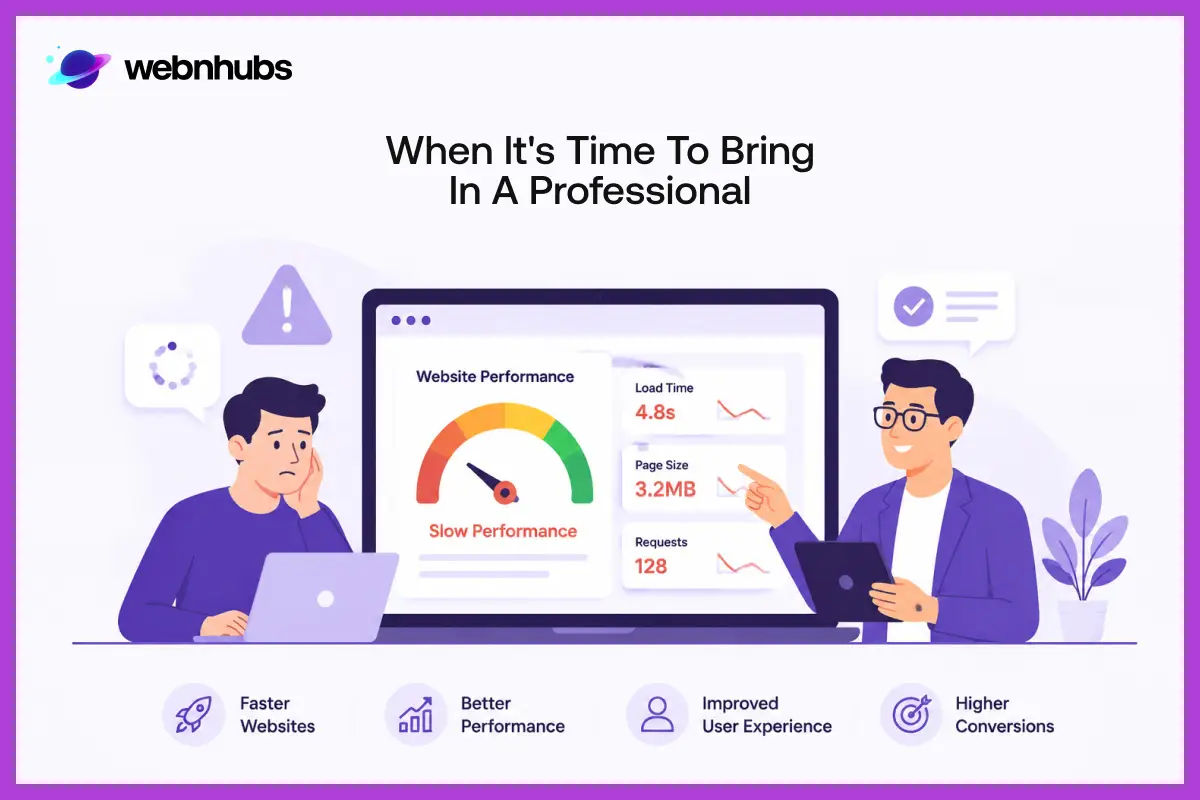
There are a few things you can do to fix your site yourself even if you do not know a lot about tech. Things like making an image smaller or getting rid of a plugin you do not use are easy to do.
But there are other things that only PROs can handle better. This includes things like changing how your site loads its code.
It also includes moving to a hosting service or finding out what is slowing down your hosting.
PROs are the ones that work with sites all the time. They can find problems that you might not see at first.
If you are not sure what is going on with your site, it is best to get a PRO to check it out. You must do this before you try to fix things yourself or hire someone to help you.
This will give you a list of what is really slowing down your site. It will tell you what to fix first. So you do not have to guess what might work and what might not work.
Is Your Slow Website Costing You Customers?
Let Webnhubs Improve Your Site's Speed and Performance for Better Results!.
Get Started With Webnhubs to Improve Website Loading Speed

A site that loads quickly is really good for people who use it. It helps people find your site when they search for something. It helps turn people who visit your site into customers.
At Webnhubs, we look for things that slow down your site. We offer Web Maintenance Services to make every part of your site better.
We use things that we know will make your site load faster. You can partner with Webnhubs to help you fix technical things.
We will keep an eye on your site all the time. This way, your site will get you real business results that you can measure.
Final Thoughts
So there you have it; that is it for this blog. As you know, a site that loads quickly is really important. It decides how people feel when they use your site. It also determines your rankings in search results. So, all in all, it affects how well your business does. If you follow all the tips and do the right things, you can make a site that keeps people interested. IT will increase your site’s conversions.
The main thing is to think about making your website faster. It is not something you do one time. If you make changes all the time, it can make a big difference after a while. Whether you take care of your website yourself. Working with a PRO like Webnhubs to make your site faster is a very good idea if you want to do well online for a long time.
Frequently Asked Questions
Website speed improves user experience, boosts search rankings, reduces bounce rates, and increases conversions across all devices.
A website should ideally load within three seconds to keep visitors engaged and improve overall performance.
Compress images, enable caching, optimize code, reduce plugins, and choose reliable hosting for better performance.
Yes, faster websites improve user experience and support better search rankings, especially for mobile-first indexing.

Sultan Hanif is a seasoned wordsmith, who brings technology trends and innovations to life through his words. A tech-savvy gamer with a passion for all things football, Sultan blends his technical knowledge with creative storytelling to empower businesses and individuals alike.
